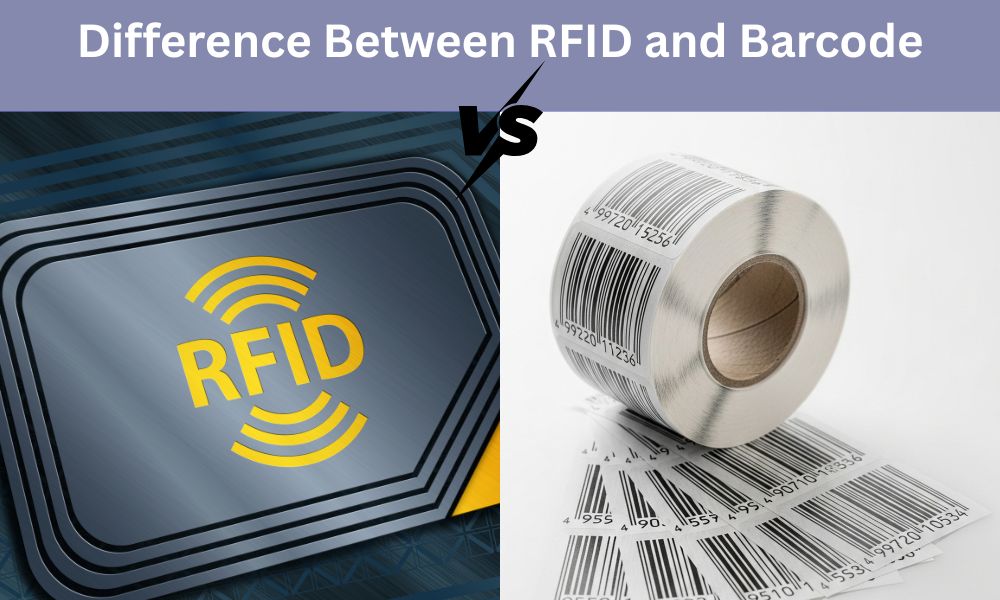
RFID vs Barcode is one of the most common comparisons in the world of identification and tracking technology. Both systems help businesses manage inventory, track products, and improve daily operations, but they work in very different ways. While barcodes have been used for decades and are still widely trusted, RFID technology is becoming popular because it offers faster scanning and better automation.
Understanding the difference between RFID and barcode systems is important for choosing the right option for your business needs. Whether it is asset tracking, warehouse management, or product identification, each solution has its strengths and limitations. This blog explains RFID and barcodes in a simple way and helps you understand how they differ.
What is RFID (Radio Frequency Identification)?
RFID, or Radio Frequency Identification, is a technology that uses radio waves to identify, track, and manage objects automatically. Unlike a barcode that needs to be scanned directly, RFID works without line-of-sight and can read multiple items at the same time. This makes RFID useful in areas where quick movement of goods, real-time tracking, and automation are required.
RFID tags can be attached to products, cartons, vehicles, machinery, and even documents. When these tags come near an RFID reader, the stored data is transmitted instantly. Because of this efficiency, RFID tag vs barcode is a common comparison for industries trying to improve accuracy and speed in their operations.

Types of RFID
RFID comes in different frequency levels, and each type serves a specific purpose:
1. Low Frequency (LF) RFID - Works at short ranges and is less affected by metal or water. Commonly used for access control cards, livestock tracking, and industrial systems.
2. High Frequency (HF) RFID - Provides medium reading range and stable performance in close-range applications. Used for library systems, payment cards, and event ticketing.
3. Ultra High Frequency (UHF) RFID - Offers long-range and high-speed scanning, suitable for bulk reading. Used heavily in warehouses, logistics, retail inventory, and vehicle tracking.
How Does RFID Work?
The RFID system is made of three key components:
1. RFID Tags
These tags include a small chip and an antenna. They store information such as product ID, serial number, manufacturing batch, or asset details.
Tags can be:
-
Passive RFID tags – have no battery and get power from the reader’s signal.
-
Active RFID tags – have their own battery for long-range communication.
-
Semi-passive tags – battery-assisted but activated by the reader.
2. RFID Reader
The reader sends radio waves to detect the tag. When the tag receives this signal, it transmits its data back to the reader. Readers can be handheld or fixed at gates, conveyor belts, or store entrances.
3. RFID Software
The software collects and processes the data coming from the reader. It helps users check stock levels, track item movement, monitor assets, and generate reports.
Advantages of RFID
-
RFID can scan multiple tags in one go, even from a distance. This speeds up inventory work and removes the need to scan each item separately like barcodes.
-
RFID tags can be read through packaging such as cartons, plastic, or bags. Items do not have to be opened or lifted, making stock checks smoother and quicker.
-
RFID tags are strong and long-lasting. They can handle dust, heat, moisture, and rough use, making them reliable for warehouses, factories, and outdoor operations.
Disadvantages of RFID
-
RFID systems are more expensive than barcodes. The cost of tags, readers, and setup can be high, especially for large-scale use.
-
RFID signals may face interference from metal or liquid surfaces. This can reduce reading accuracy if the environment is not planned properly.
-
RFID installations need careful positioning of readers. Wrong placement can lead to missed scans or incorrect readings.
-
Active RFID tags depend on batteries. These batteries need replacement after a certain time, adding to maintenance work.
What Are Barcodes?
A barcode is a printed label made of lines, numbers, or patterns that store information about a product. When a barcode scanner reads these lines, it identifies the item and displays its details in the system. Barcodes are widely used because they are affordable, easy to print, and suitable for almost every industry.
Barcodes require a direct line of sight to be scanned, which means the scanner must point directly at the label. Even though this makes scanning slower compared to RFID, barcodes remain popular due to their low cost and simplicity.

Types of Barcodes
1. 1D Barcodes (Linear Barcodes) - This barcode shows information in a series of vertical lines and spaces. This barcode is used on retail products, labels, and basic inventory systems.
2. 2D Barcodes - This 2D barcode stores information in square or rectangular patterns such as QR codes or Data Matrix codes. It can hold more data and be used for packaging, shipping labels, and digital payments.
How Does a Barcode Work?
A barcode works by converting printed patterns into readable information through a scanner and software system. Each line, space, or block in a barcode represents a number or character. When the scanner reads these patterns, it translates them into product details such as name, price, batch number, or inventory code.
1. Barcode Label - The barcode label is printed using black lines or squares on a white background. Each part of this pattern carries encoded information. When placed on a product, it acts like an ID card for the item.
2. Barcode Scanner - A barcode scanner uses a beam of light (usually red laser or LED) to scan the code. As the scanner moves across the barcode, it captures the reflection of the light. The black lines absorb light while the white spaces reflect it. This difference helps the scanner understand the pattern.
3. Decoding the Pattern - The scanner converts the reflected light into electrical signals. These signals represent the width and spacing of the lines, which the scanner interprets as numbers or characters.
4. Software System - Once the scanner decodes the barcode, the data is sent to the software system. The software matches the scanned code with a stored database and instantly displays product information such as:
-
Product name
-
Price
-
Stock availability
-
Manufacturing or batch details
-
Location in the warehouse
5. Updating the Inventory - After the product is scanned, the system can automatically update inventory levels. This helps track how many items are added, removed, or sold in real time.
Difference Between RFID and Barcode
RFID and barcodes are two popular methods used for product identification, tracking, and inventory management. While both serve the same basic purpose, the way they work and the benefits they offer are quite different. Understanding these differences helps businesses decide which system fits their needs better.
Below is a detailed comparison of RFID vs Barcode:
1. Technology Used
RFID: RFID works using radio frequency signals. A tag with a microchip stores data, and a reader uses radio waves to capture this data wirelessly. The process is automatic and does not require physical contact.
Barcode: A barcode is a printed label made of lines or squares. A scanner reads these patterns using light and converts them into information. This is a simple technology that has been used for decades in retail and packaging.
2. Line-of-Sight Requirement
RFID: RFID does not need line-of-sight. The reader can detect tags even if they are inside boxes, behind items, or placed at odd angles. This makes scanning faster and more convenient in warehouses and storage areas.
Barcode: Barcodes need direct visibility. The scanner must face the barcode correctly, and any dirt, tear, or damage on the label can affect reading. This slows down scanning when handling large volumes of items.
3. Reading Speed
RFID : RFID can read multiple tags at the same time. A single scan can detect hundreds of items, which saves time and reduces manual work.
Barcode : Barcodes must be scanned one by one. This is manageable for retail counters but time-consuming in large inventory operations.
4. Data Capacity
RFID : RFID tags can store more than just a product number. They can store manufacturing details, batch numbers, dates, and other information. Some tags can also be rewritten with new data.
Barcode : A barcode stores limited data. It usually contains just a product code that the system uses to fetch information from a database. It cannot store additional details within the label itself.
5. Durability and Lifespan
RFID : RFID tags are durable because they do not rely on printed lines. They work even if dirty, scratched, or exposed to harsh environments. This makes them reliable for outdoor or industrial use.
Barcode : Barcodes are printed and can fade, smudge, or tear. If the label is damaged, the scanner cannot read it, and a new label must be printed.
6. Cost
RFID: RFID involves a higher initial investment. Tags, readers, and system setup cost more, making it suitable for businesses with heavy inventory or asset management needs.
Barcode: Barcodes are extremely cost-effective. Printing labels is cheap, and scanners are also affordable, making barcode systems ideal for small and medium businesses.
7. Accuracy and Efficiency
RFID : RFID reduces human errors because scanning is automatic. It improves accuracy in real-time tracking and minimizes mistakes in inventory counting.
Barcode : Accuracy depends on how well the barcode is scanned. Human handling is required, which increases the chance of missed scans or double entries.
8. Security
RFID: RFID offers better data protection. Some tags support encryption and unique identifiers, making it harder to duplicate or tamper with.
Barcode: Barcodes are easy to copy because they are printed and visible. Anyone can reproduce a barcode label.
9. Usage Environment
RFID: Best suited for warehouses, logistics, supply chain tracking, vehicle identification, hospital equipment, and asset management where speed and automation matter.
Barcode: Ideal for retail stores, billing counters, packaging labels, and simple tracking tasks where cost is the main consideration.
Use Cases of RFID
RFID technology is used across many industries because it allows fast, contactless, and accurate tracking. It helps businesses manage items in real time without the need for manual scanning. Here are the major use cases where RFID plays an important role:
1. Warehouse and Inventory Management
RFID is widely used in warehouses because it helps track items automatically without manual scanning. When goods move in or out, the RFID readers update the system instantly, reducing counting time and preventing stock errors. This helps warehouses maintain accurate inventory records and manage large volumes of items with ease.
2. Asset Tracking
Many businesses use RFID to track high-value assets such as laptops, tools, machines, and medical equipment. Each item is tagged, and readers automatically record wherever it moves. This prevents loss, supports maintenance planning, and keeps asset records up to date without manual effort.
3. Healthcare and Hospitals
In hospitals, RFID helps track medical devices, patient wristbands, blood samples, and lab reports. This ensures correct identification and reduces errors in treatment. RFID also helps maintain equipment availability and prevents misplacement of critical tools.
4. Manufacturing and Production Lines
Manufacturers use RFID to track raw materials, monitor parts during assembly, and check quality at each stage of production. This provides full transparency in the workflow, reduces manual tracking, and ensures that every step in the production process is recorded accurately.
5. Retail and Store Management
Retail stores use RFID to manage stock more efficiently. Staff can walk through aisles with a handheld reader and scan hundreds of items in seconds. RFID also helps reduce shoplifting, manage fitting room items, and maintain accurate stock levels. This leads to better product availability and faster restocking.
Use Cases of Barcodes
Barcodes are widely used across industries to track, identify, and manage products and assets. They provide a simple and cost-effective way to record information and maintain accurate records.
1. Library and Document Management
Libraries and offices use barcodes to track books, files, and documents. Each item is assigned a unique barcode that simplifies check-in, check-out, and inventory management, reducing human errors and saving time in record-keeping.
2. Shipping and Logistics
Barcodes are used on packages and shipping labels to track shipments throughout delivery. Scanning the barcode updates the package status in the system, providing accurate tracking for both the company and the customer. This makes the delivery process organized and transparent.
3. Manufacturing and Production
Manufacturing companies use barcodes to track parts, raw materials, and finished products along the production line. Each item’s barcode is scanned at different stages to record its progress, making quality control and workflow monitoring easier and more accurate.
Barcode vs RFID: Which One Should You Choose?
Choosing between barcodes and RFID depends on your business needs, budget, and the type of operations you handle. Both technologies have advantages and limitations, so understanding them can help make the right choice.
Barcodes are ideal for businesses that need a cost-effective and simple solution. They are best for small to medium-sized retail stores, libraries, or warehouses with manageable inventory volumes. Barcodes are easy to implement and maintain, but they require line-of-sight scanning and can slow down processes when handling large quantities of items.
RFID, on the other hand, is suitable for businesses that need fast, automated, and large-scale tracking. Warehouses, logistics companies, hospitals, and manufacturing units benefit from RFID because it can read multiple items at once and works without line-of-sight. Although the setup cost is higher, RFID provides better durability, efficiency, and accuracy for complex operations.
FAQ
1. Is RFID faster than barcode?
Yes, RFID is faster because it can read multiple items at once without line-of-sight scanning, unlike barcodes which must be scanned one by one.
2. Does RFID use barcodes?
No, RFID does not use barcodes. It uses radio frequency signals to read data from tags.
3. Will RFID replace barcodes?
Not completely. Barcodes remain cost-effective for simple tasks, while RFID is better for automation and large-scale tracking. Many businesses use both together.
4. Can I print my own RFID tags?
Yes, you can encode and print certain RFID tags using specialized printers, but they are more expensive than regular barcode labels.
5. Can a cell phone read RFID tags?
Yes, some smartphones with NFC (Near Field Communication) can read certain types of RFID tags, mainly high-frequency (HF) tags used for payments, access cards, and small item tracking.
Conclusion
RFID and barcodes are both essential tools for tracking, identifying, and managing products and assets. Barcodes are simple, cost-effective, and suitable for small to medium operations, while RFID offers faster scanning, automation, and durability for large-scale and complex systems.
Choosing the right technology depends on your business needs, budget, and the type of operations you handle. For industries like warehouses, logistics, retail, healthcare, and manufacturing, RFID can improve efficiency and accuracy. Barcodes remain a reliable option where simplicity and affordability are key. By understanding the differences between RFID vs barcode, businesses can make informed decisions to streamline inventory, improve asset tracking, and optimize overall workflow.
